Digital school exams where no answer gets lost.
Skriveøkt is our exam platform for lower and upper secondary schools. Teachers build and publish tests to a Feide group, students unlock them with a code and write with autosave and a timer, and the teacher reviews and exports the same day.
The challenge
Many schools still run tests on paper or in ordinary documents. Answers are lost when a Chromebook runs out of battery, access hinges on a code that gets shared around, and tools that promise "browser lockdown" can't actually lock anything. The alternative is often adopting a whole learning management system just to run a mock exam.
How Skriveøkt works
Feide, group and code
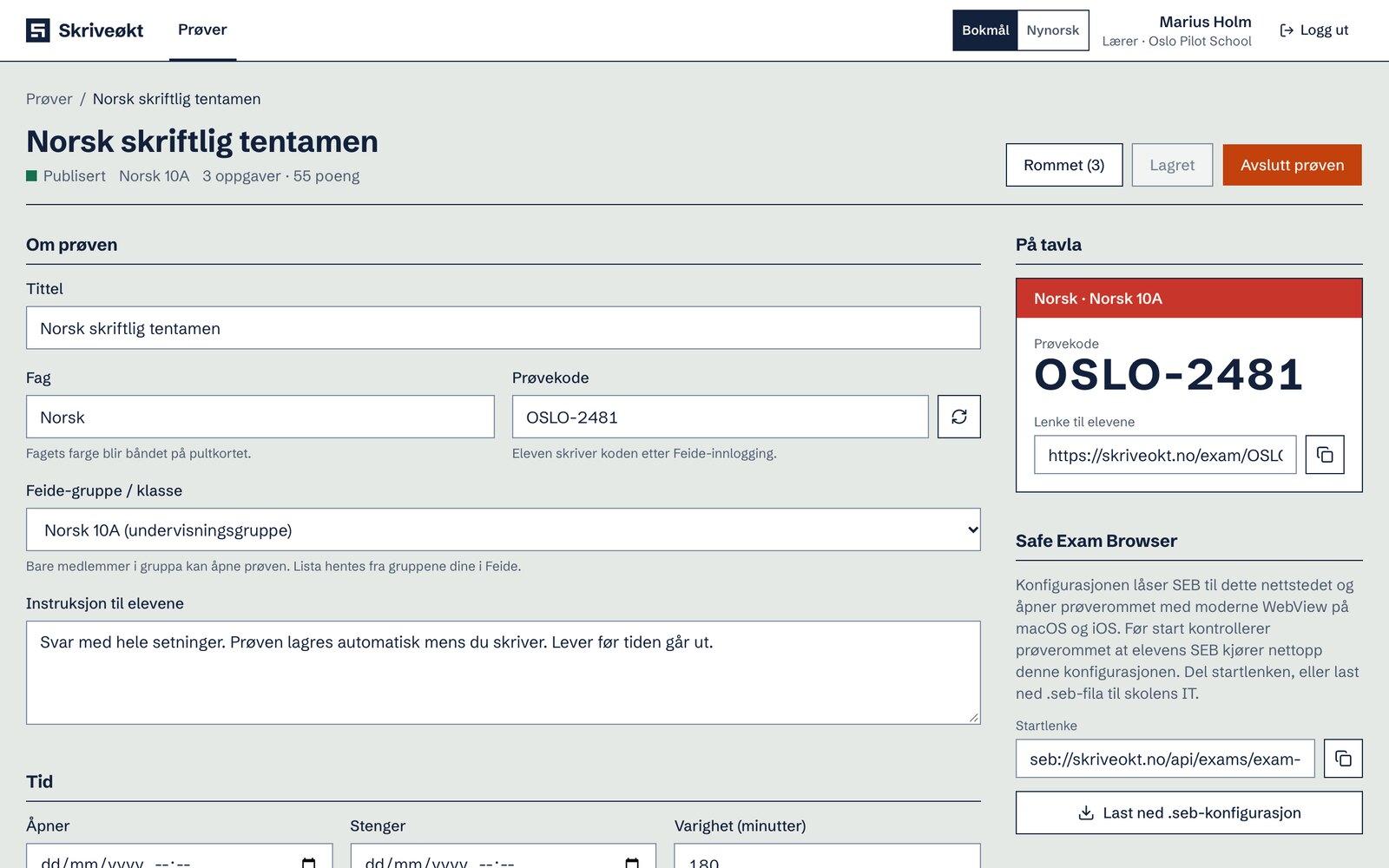
Everyone signs in with Feide, and groups come straight from the school's Feide setup. A student only gets into a test if they're in the right group, inside the time window and have the code. The code alone is never enough. If Feide is down, the teacher can give a pupil a personal one-time code that works for this test only.
Nothing gets lost
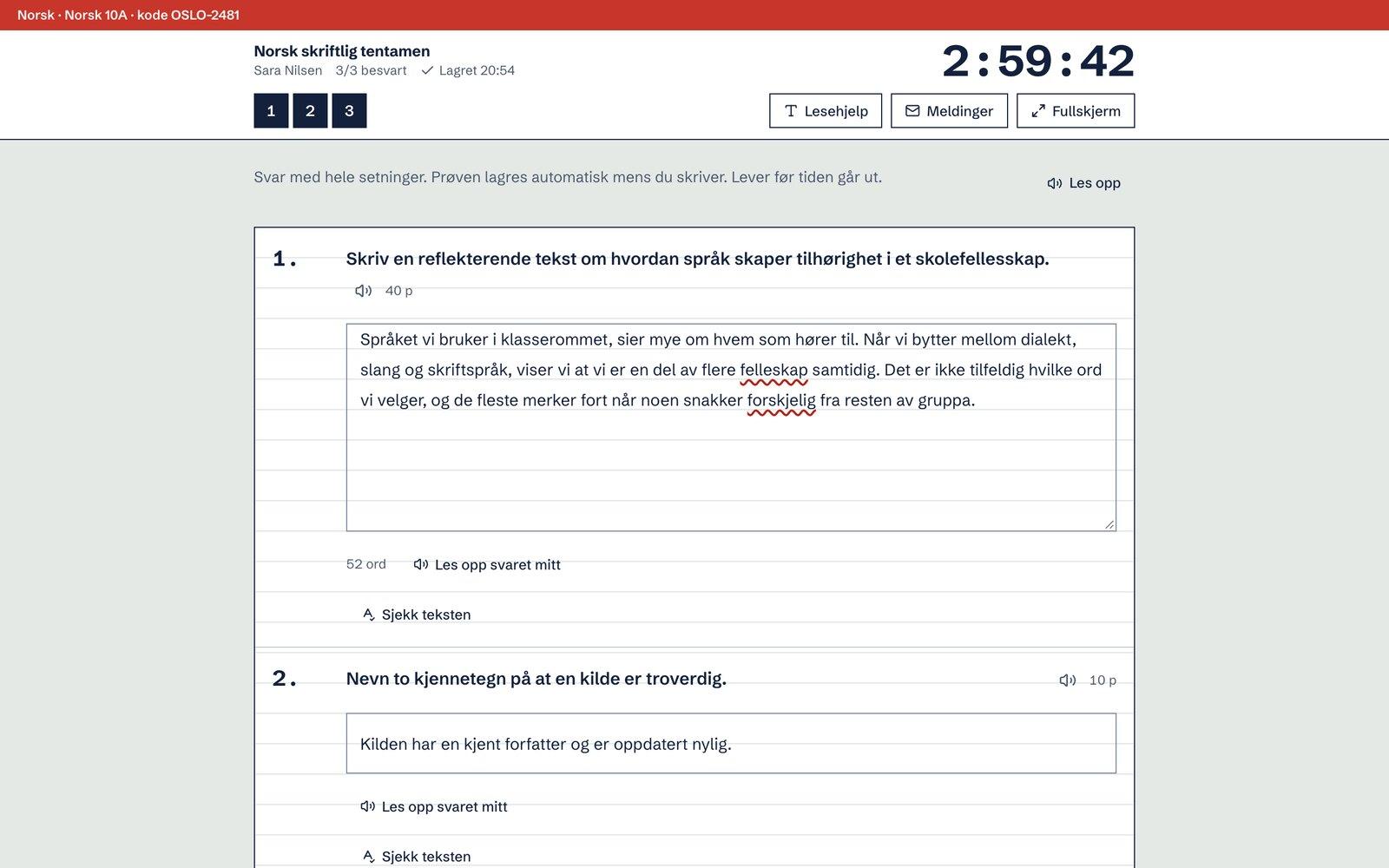
Answers save continuously, with a local copy that is restored after a power cut or network drop. Time left and save status are always visible. When time runs out, the server delivers the saved answers even if the pupil's laptop has died or the lid is closed, and the submission isn't marked late.
Honest security modes
Browser mode monitors and logs events. It doesn't pretend to lock the device. When a test needs real lockdown, Skriveøkt generates a ready-made Safe Exam Browser config or runs on school-managed devices.
Live overview, review and export
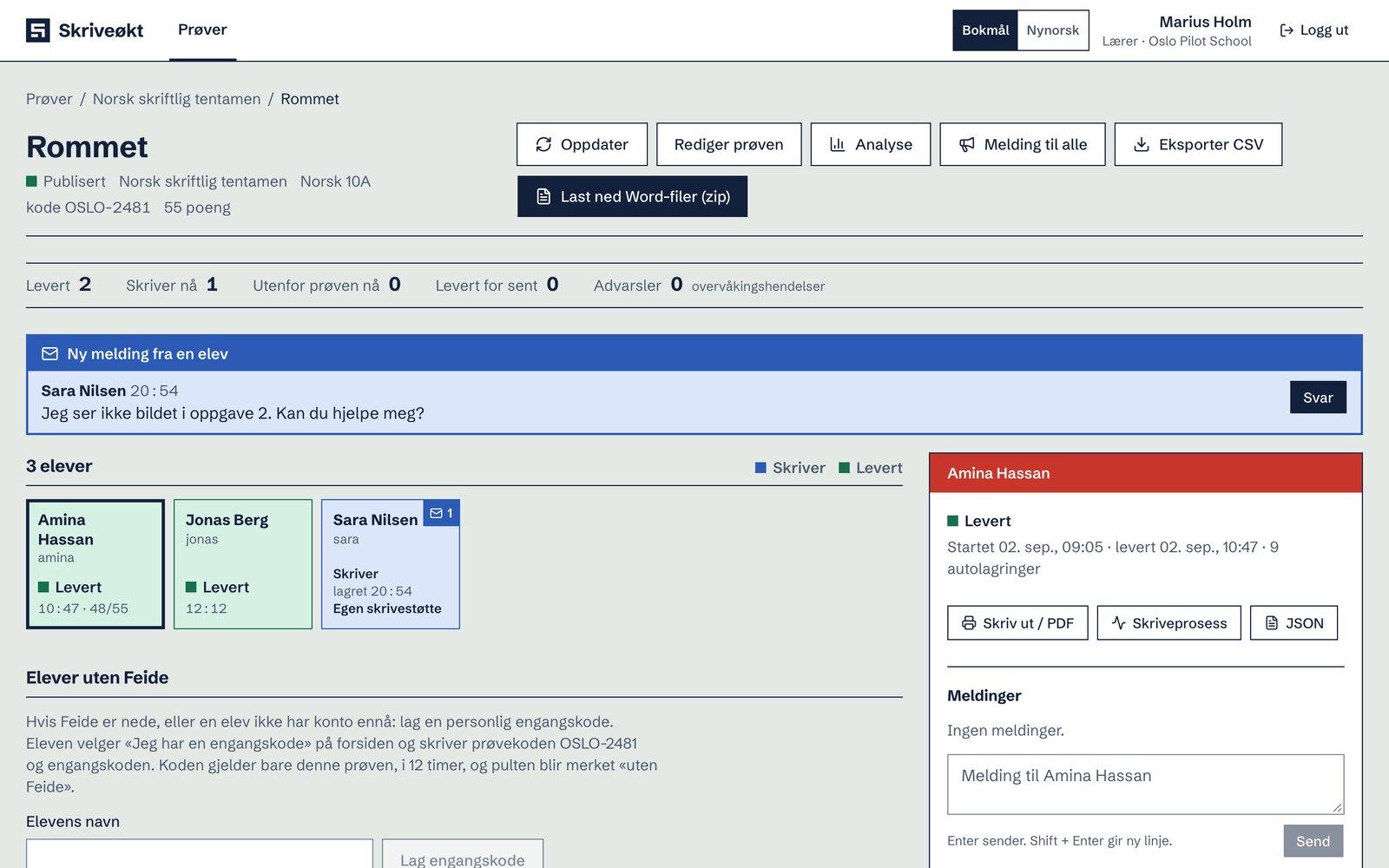
In the room view, teachers see what each pupil is doing right now: writing, idle, outside the test or disconnected. Multiple choice is scored automatically, the writing process shows how a text came to be, and the class exports as CSV or Word files the same day.
Messages during the test
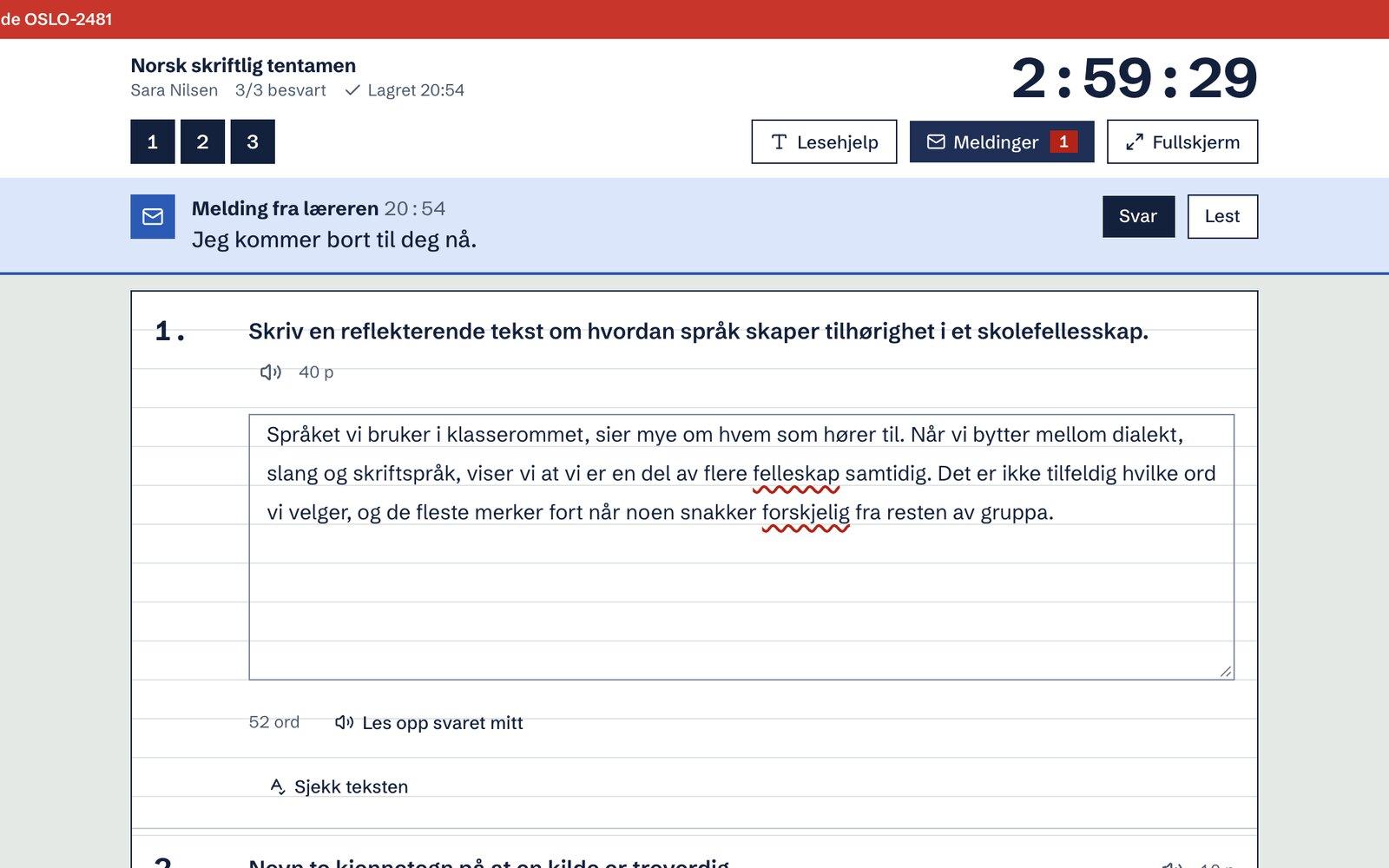
A pupil can write to the teacher without leaving the test, for example when something isn't working. The teacher sees the message above the desks and replies from there, or sends one notice to the whole class. The reply appears under the pupil's clock, wherever they are on the page.
Writing support when a pupil needs it
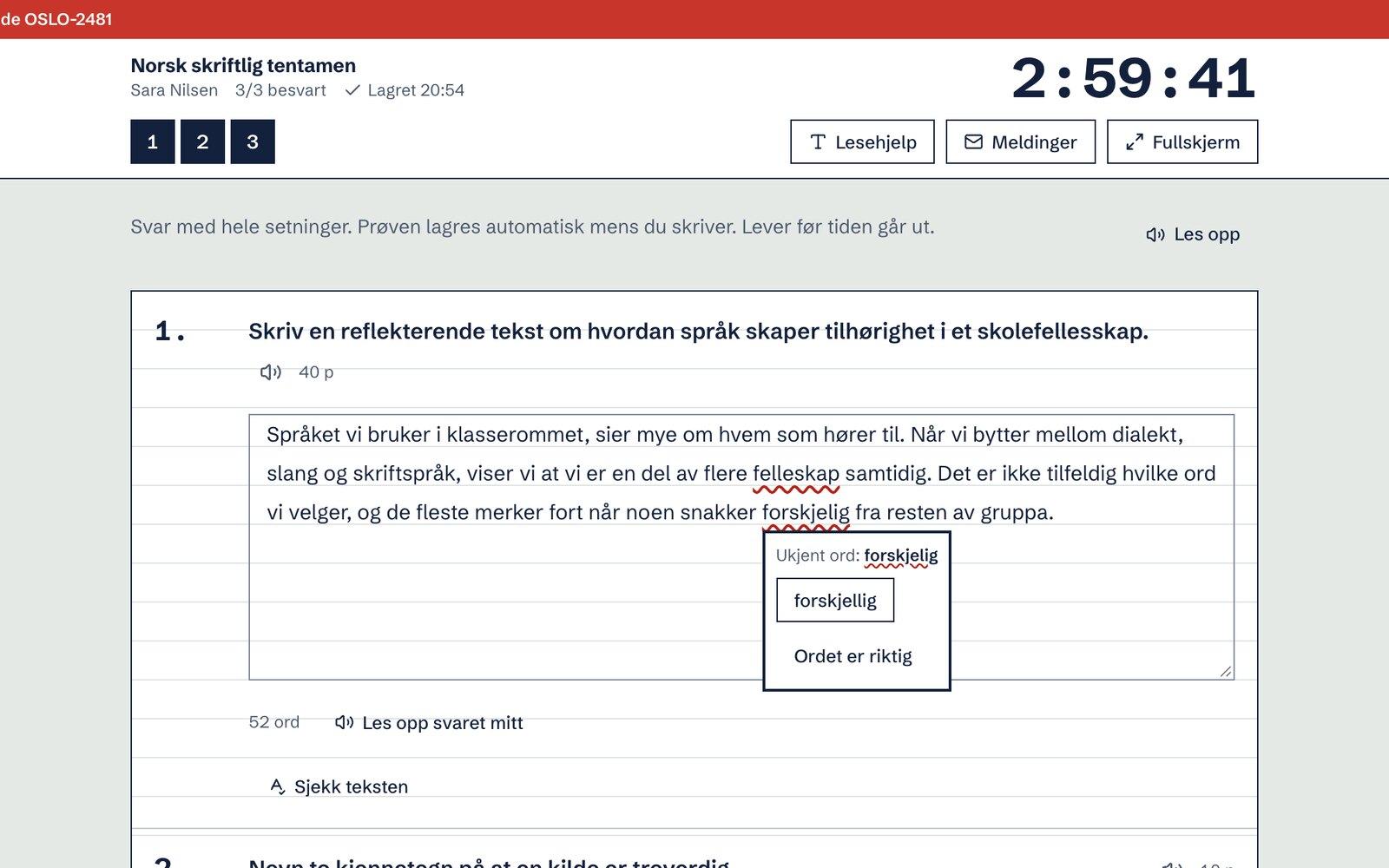
Teachers can turn on spell check for the whole test or for one pupil. Unknown words get a red underline, and pointing at a word offers suggestions. There are also word suggestions while typing, a built-in dictionary, larger text and read-aloud. The spell check is our own and works the same on every device.
Allowed aids per test
Teachers choose which websites pupils may open, such as ordbokene.no. In Safe Exam Browser only those sites open, and programs such as a calculator or GeoGebra can be allowed on Windows, and on Mac and iPad with SEB 3.4 or newer. Not on Chromebook. It's built in, and we verify the setup on your school's own devices before the first test.
Adapted to every pupil
Teachers can give an individual pupil extra time during the test, for example under an accommodation decision. Pupils choose bokmål or nynorsk. Skriveøkt is built to meet WCAG 2.1 level AA, the universal design requirement for Norwegian schools.
Read about accessibilitySee it in action
Frequently asked questions
Who is Skriveøkt for?
Teachers and students in Norwegian lower and upper secondary schools running written tests, mock exams and full-day exams digitally, and school leaders who want an overview of every test in the school.
Does Skriveøkt lock the browser?
Not in a normal browser, because no website can. Browser mode monitors and logs events such as a student leaving the tab. For formal exams Skriveøkt generates a Safe Exam Browser config for Windows, macOS and iPad, or runs on devices the school manages.
Which devices does it work on?
Chromebook, iPad, Windows and Mac. The pupil view also works on phones (iPhone and Android) and down to 320 pixels wide. The interface is designed for touch and keyboard and built to meet WCAG 2.1 AA.
Can a pupil get extra time?
Yes. Teachers can give an individual pupil extra minutes during the test, for example under an accommodation decision. The pupil's clock updates at once and the pupil is told on screen. Extra time is given once the pupil has started, not in advance.
Can pupils and teachers talk during the test?
Yes. A pupil can send the teacher a message from the test, and the teacher replies from the room view or sends one notice to the whole class. Only the teacher sees a pupil's messages, and new messages are read aloud for pupils using a screen reader.
Does Skriveøkt have spell check?
Yes, when the teacher turns it on, for the whole test or for one pupil with an accommodation. Unknown words get a red underline and the pupil is offered the correct spelling. It covers bokmål, nynorsk and English, runs on our own server and works the same on every device. Unless the teacher turns it on, the test gives no spelling help.
What if Feide is down?
The teacher can create a personal one-time code for the pupil in the room view. The code works for this one test for 12 hours, the submission is marked as made without Feide, and the teacher can revoke the code.
Is it available in nynorsk?
Yes, for pupils. Each pupil chooses bokmål or nynorsk at the top of the page, and the choice is remembered on the device. Teacher pages are in bokmål only for now.
Can pupils use a dictionary or calculator?
Yes, if the teacher allows it. Teachers list the websites pupils may open, such as ordbokene.no. In Safe Exam Browser only those sites open, and programs such as a calculator or GeoGebra can be allowed on Windows, and on Mac and iPad with SEB 3.4 or newer. It doesn't work on Chromebook. It's built in, but we verify the setup on your school's own devices before the first test.
Do we need to adopt a new learning platform?
No. Skriveøkt uses Feide and the groups the school already has, so there's no new user administration and no new LMS.
Want to start using Skriveøkt?
Skriveøkt is live and ready for lower and upper secondary schools. Get in touch and we'll show you the platform and set it up with Feide for your municipality or school.
Let's build your next platform.
Tell us what you're building. We'll help you define the architecture, the experience and the path to launch.